Iri rekte al la enhavo
WordPress.org

Esperanto

  • Etosoj
  • Kromprogramoj
  • News
  • Support
  • About
  • Pri WordPress
  • Esperantigo
  • Get WordPress
Get WordPress
WordPress.org

Plugin Directory

WP ShareX

  • Submit a plugin
  • My favorites
  • Log in
  • Submit a plugin
  • My favorites
  • Log in

Tiu ĉi kromprogramo ne estis testita en la 3 lastaj gravaj eldonoj de WordPress. Eble ĝi ne plu estas prizorgata kaj ĝi eble havus kongruajn problemojn en novaj versioj de WordPress.

WP ShareX

De joomdev
Elŝuti
  • Detaloj
  • Pritaksoj
  • Instalo
  • Programado
Helpo

Priskribo

WP ShareX is an advanced WordPress Social Share plugin enables you to add social share buttons on Posts and pages. You can assign buttons on Top of the Content, Bottom of the Content, Sidebar and on media.

Features of WP Social Share by JoomDev
1. 24 Social Network
2. You have the option to select either Icons or Icons with Text
3. 3 Button Shapes
4. 4 Button Animations
5. URL Shortening Option with Bitly and Goo.gl
6. Embed Twitter Handle and desired tags with Tweet
7. 4 Button display Location e.i. Top of the Content, Bottom of the content, Media, and Sidebar
8. Hide On Mobile Ability
9. Default Share Count Option. (You can play with your user’s mind)
10. Encourage your Audience to share your content with Share Incentive Feature

Ekrankopioj
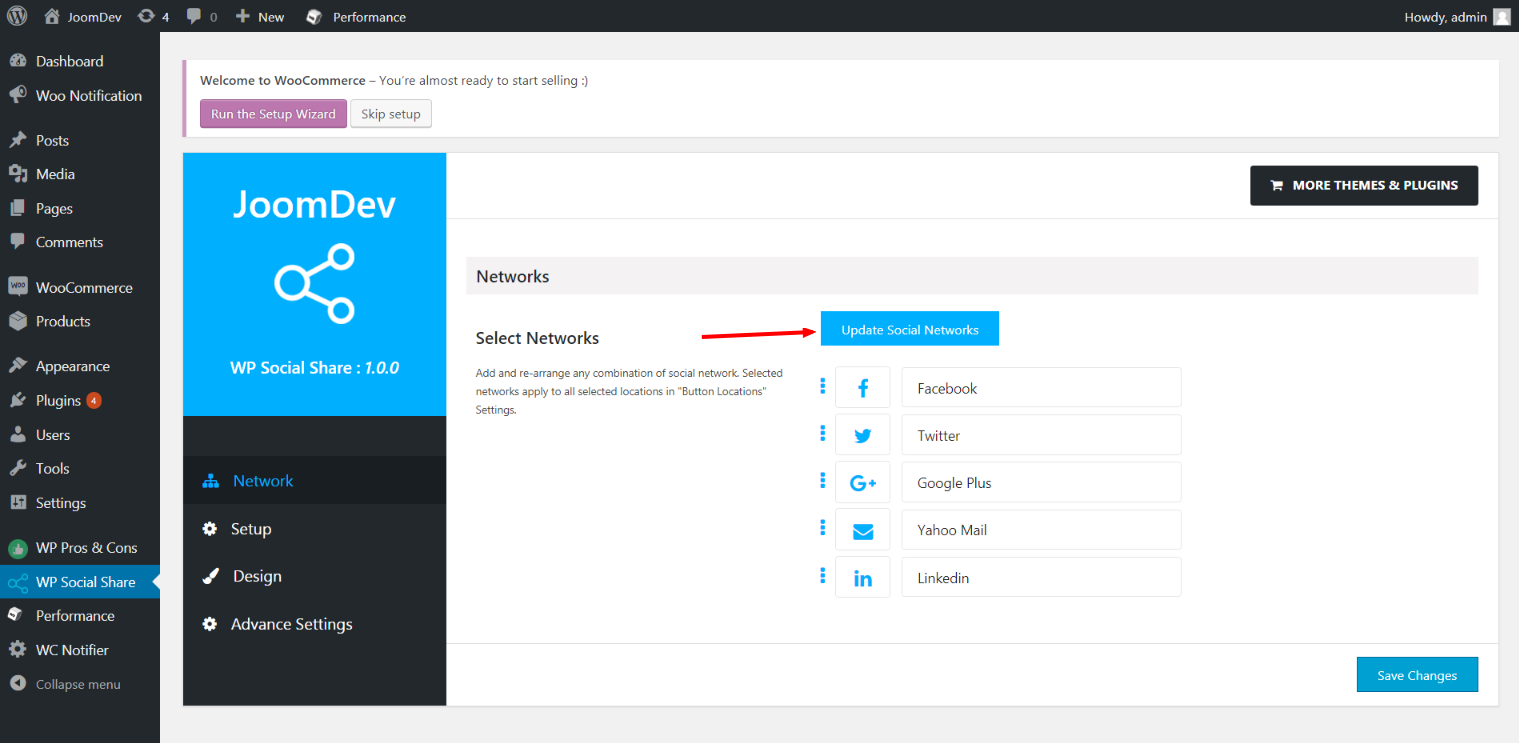
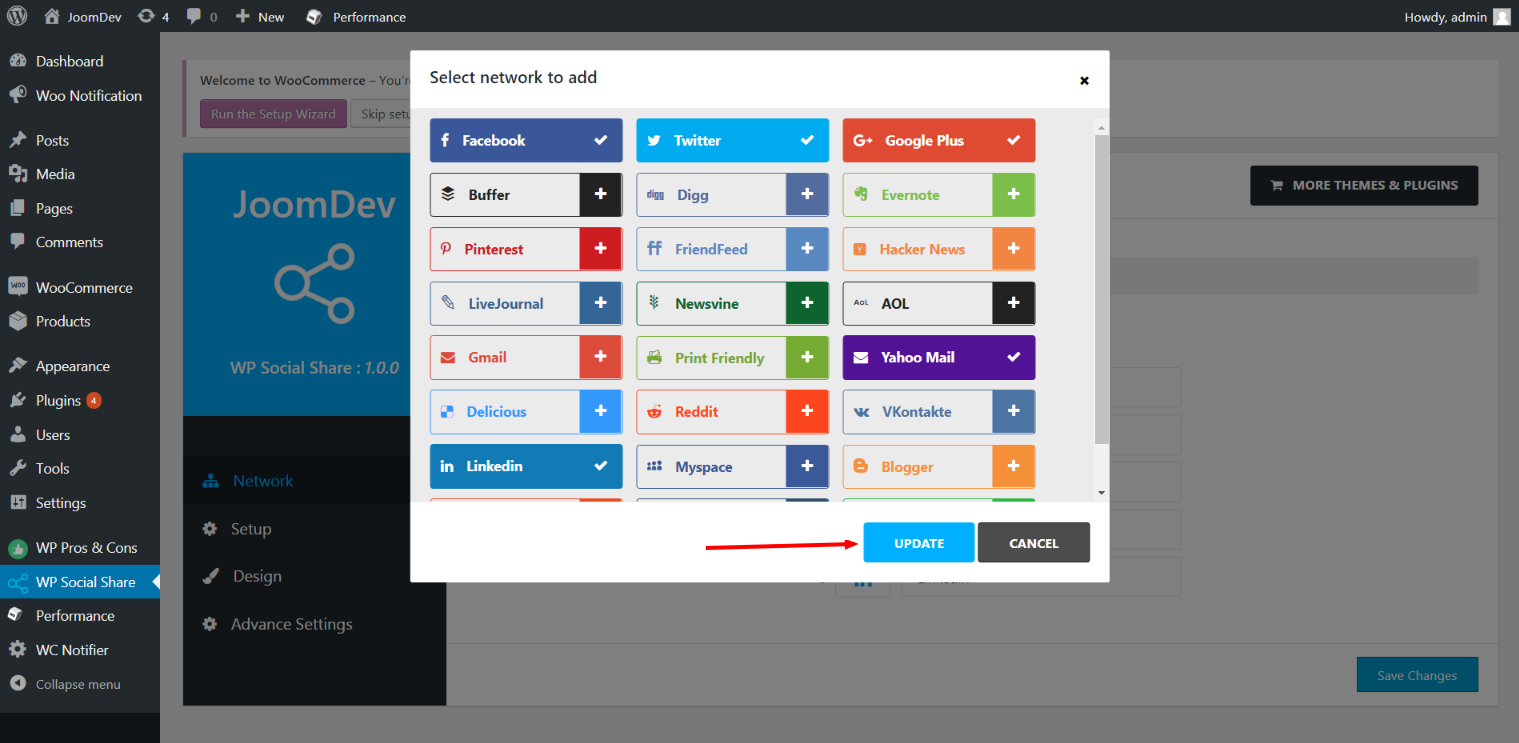
Click here to select networks
Update networks after selecting them.
Setup plugin and api settings.
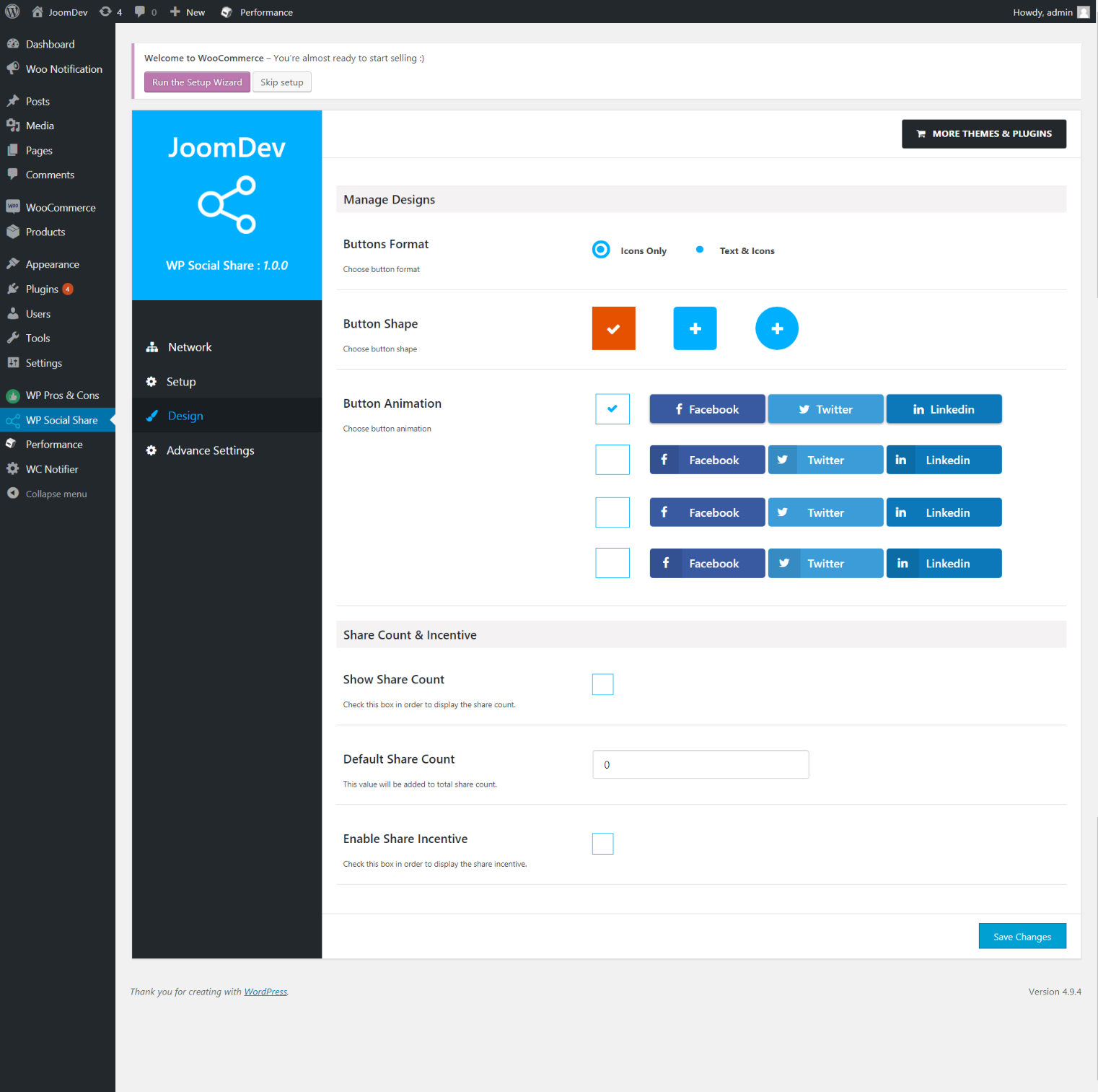
Select any design to display the buttons.
For mobile
For mobile

Instalo

Way 1: 1. Upload joomdev-wp-social-share.zip to the /wp-content/plugins/ directory 2. Extract the zip file. 3. Activate the plugin from wordpress plugins page. And you have done.

Way 2: 1. Go to plugins page in admin. 2. Click on Add New button. 3. Search for “WP ShareX”. 4. Click install on WP Social Share. 5. Activate the plugin.

OD

Installation Instructions

Way 1:
1. Upload joomdev-wp-social-share.zip to the /wp-content/plugins/ directory
2. Extract the zip file.
3. Activate the plugin from wordpress plugins page. And you have done.

Way 2:
1. Go to plugins page in admin.
2. Click on Add New button.
3. Search for “WP ShareX”.
4. Click install on WP Social Share.
5. Activate the plugin.

How do I use this plugin?

See description.

Pritaksoj

Excellent!

Arnab Mohapatra Marto 16, 2018 1 reply
Incredible plugin. It allows to add any sharing button on the page simply and fast!
Legi 1 pritakson

Kontribuantoj k. programistoj

“WP ShareX” estas liberkoda programo. La sekvaj homoj kontribuis al la kromprogramo.

Kontribuantoj
  • joomdev

Traduki “WP ShareX” en vian lingvon.

Ĉu interesita en programado?

Browse the code, check out the SVN repository, or subscribe to the development log by RSS.

Ŝanĝprotokolo

1.0.0

  • New Plugin initialized.

Metadatumoj

  • Version 1.0.0
  • Last updated antaŭ 8 jaroj
  • Active installations 10+
  • WordPress version 3.0 or higher
  • Tested up to 4.9.29
  • Language
    English (US)
  • Tags
    sharesocialsocial share
  • Altnivela rigardo

Pritaksoj

5 out of 5 stars.
  • 1 5-star review 5 stars 1
  • 0 4-star reviews 4 stars 0
  • 0 3-star reviews 3 stars 0
  • 0 2-star reviews 2 stars 0
  • 0 1-star reviews 1 star 0

Your review

See all reviews

Kontribuantoj

  • joomdev

Helpo

Got something to say? Need help?

Vidi helpforumon

Donaci

Ĉu vi volas subteni la pluevoluigon de tiu ĉi kromprogramo?

Donaci al tiu ĉi kromprogramo

  • About
  • News
  • Hosting
  • Privacy
  • Showcase
  • Themes
  • Plugins
  • Patterns
  • Learn
  • Support
  • Developers
  • WordPress.tv ↗
  • Get Involved
  • Events
  • Donate ↗
  • Five for the Future
  • WordPress.com ↗
  • Matt ↗
  • bbPress ↗
  • BuddyPress ↗
WordPress.org
WordPress.org

Esperanto

  • Visit our X (formerly Twitter) account
  • Visit our Bluesky account
  • Visit our Mastodon account
  • Visit our Threads account
  • Visit our Facebook page
  • Visit our Instagram account
  • Visit our LinkedIn account
  • Visit our TikTok account
  • Visit our YouTube channel
  • Visit our Tumblr account
Kodo estas poezio.
The WordPress® trademark is the intellectual property of the WordPress Foundation.