
Priskribo
Turn WooCommerce product videos into shoppable reels.
ProductReels lets you display product demos, customer videos, reviews and unboxings in a fullscreen, swipeable player. Tag products or add custom buttons so shoppers can act while they watch.
All features are free. No Pro version or license key.
Website | Live Demo | Documentation | Support
Shoppable video features
- Product tags and buttons: Link WooCommerce products or add your own call-to-action buttons to each reel.
- Shopping in the player: Show product cards and let shoppers add simple products to cart. Products requiring options open their product page.
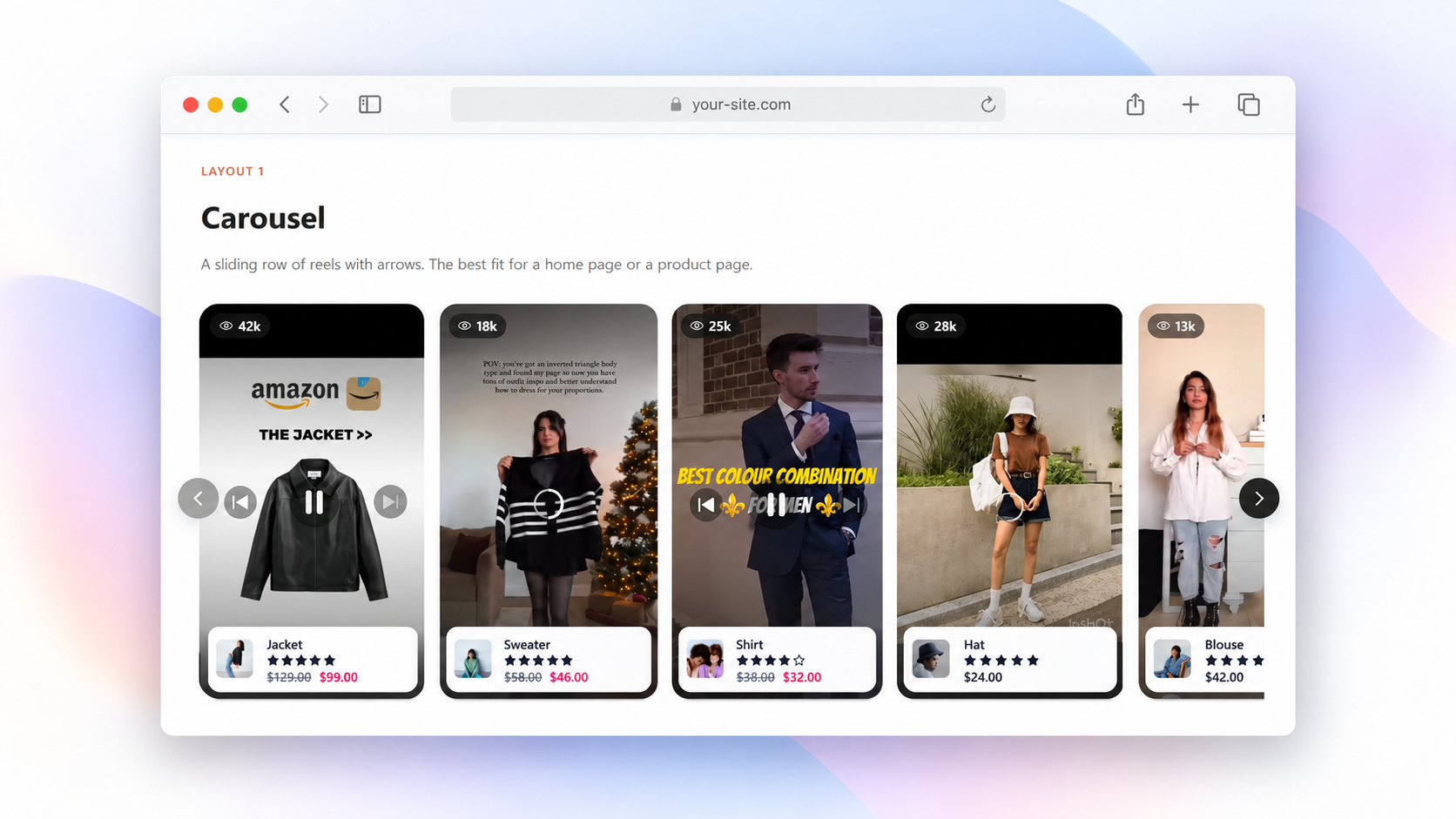
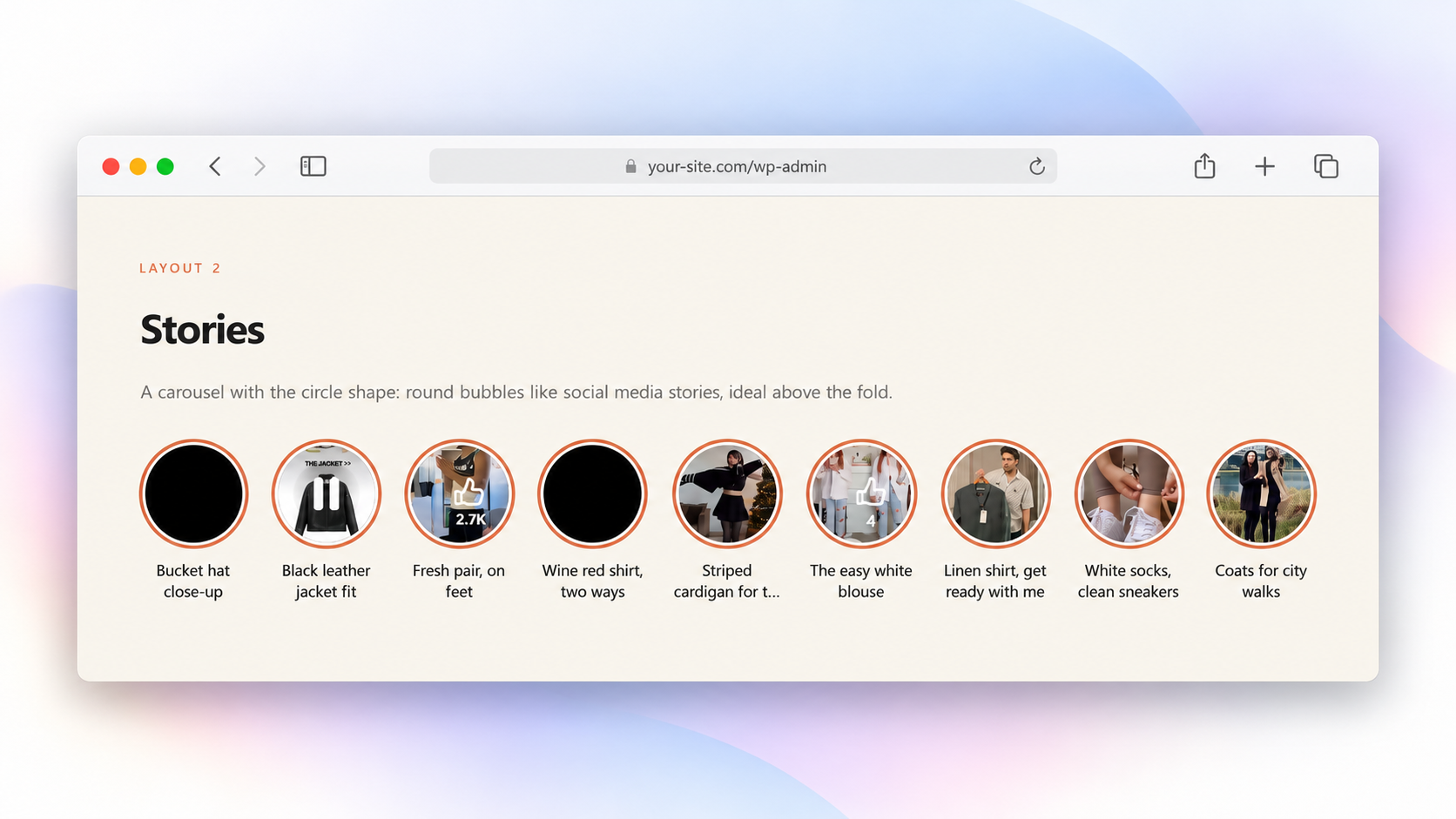
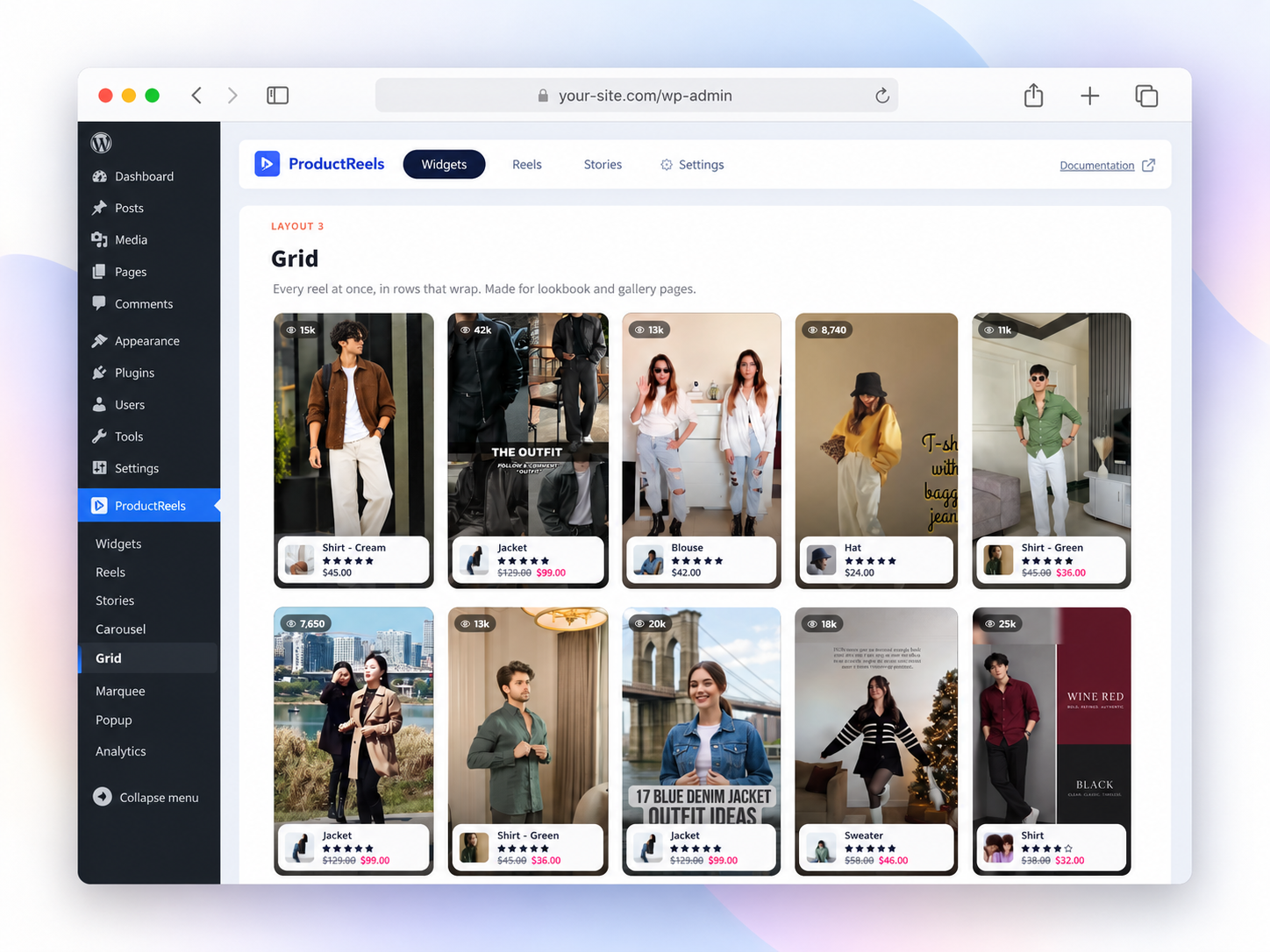
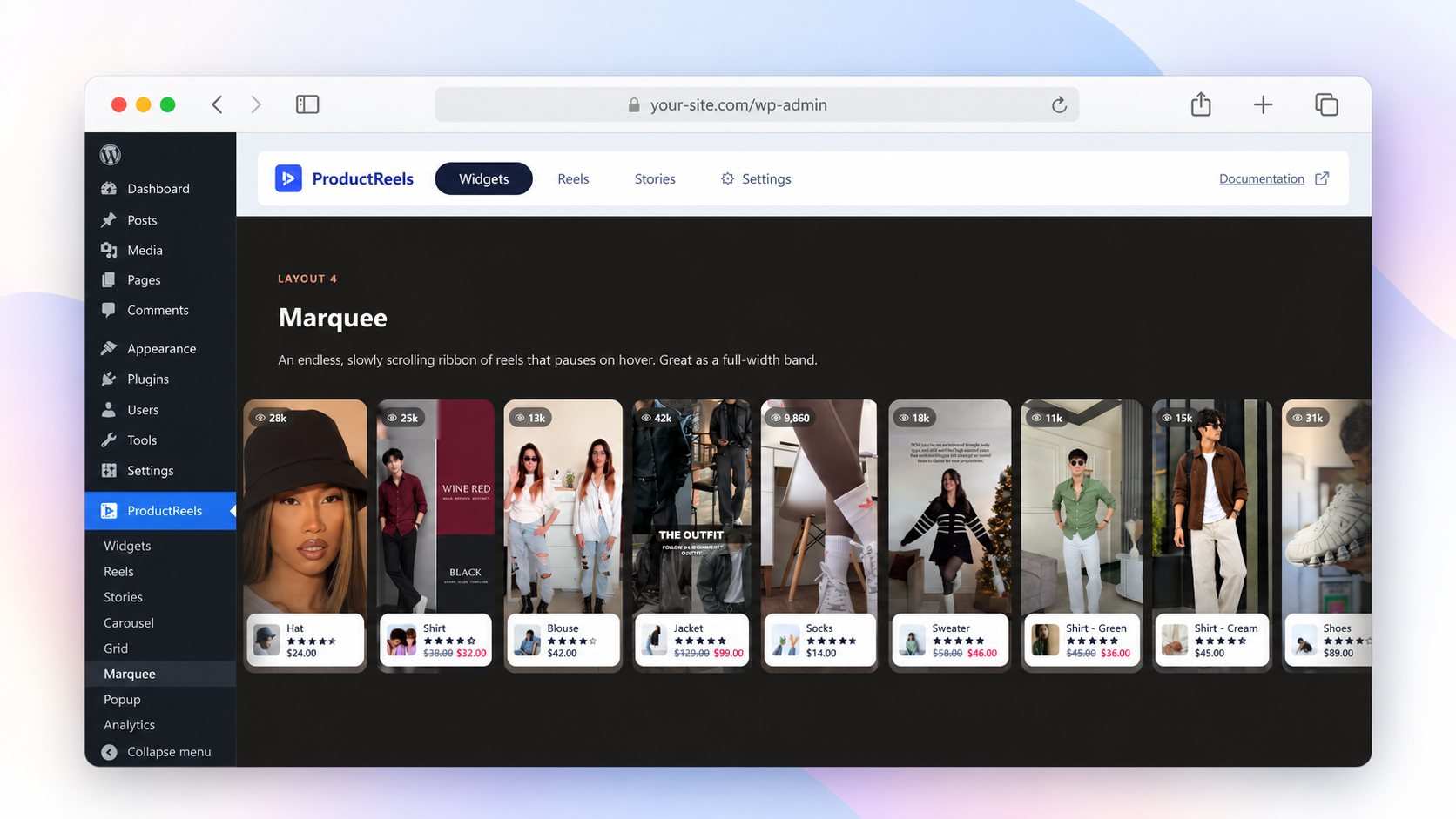
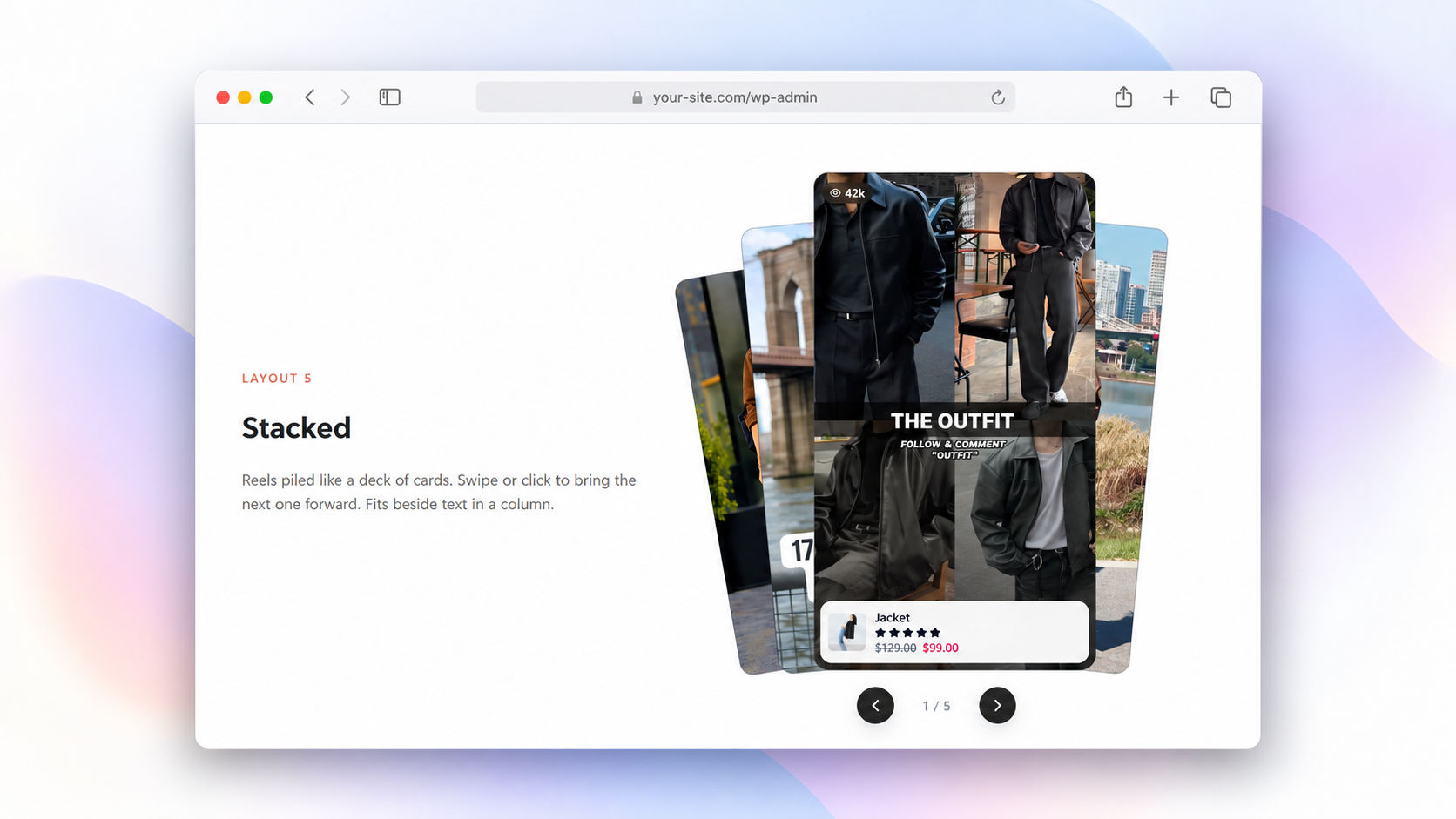
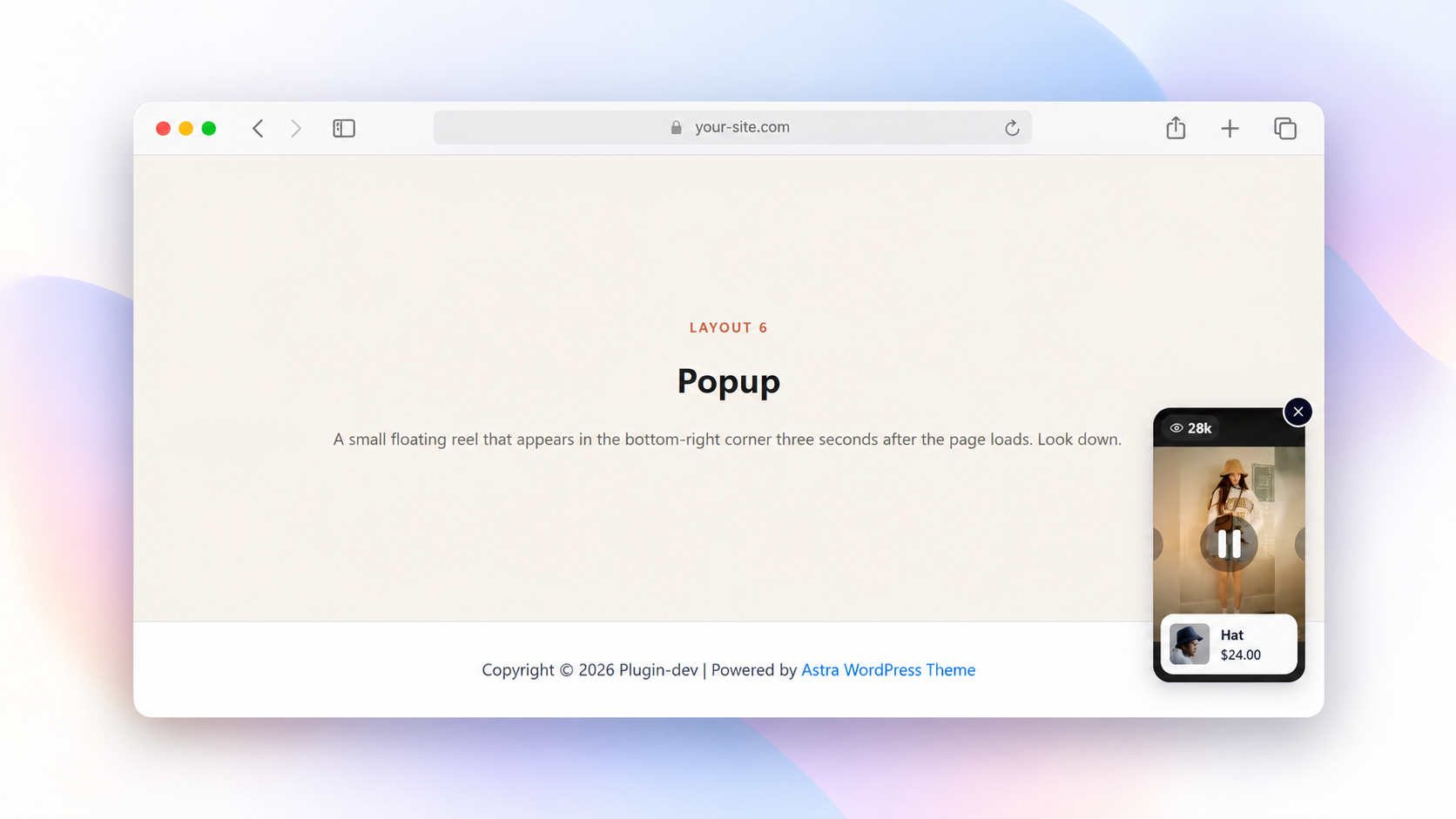
- 5 layouts, 2 shapes: Choose carousel, grid, marquee, stacked cards or floating popup, with rectangle or circle shapes. Use circles for story bubbles.
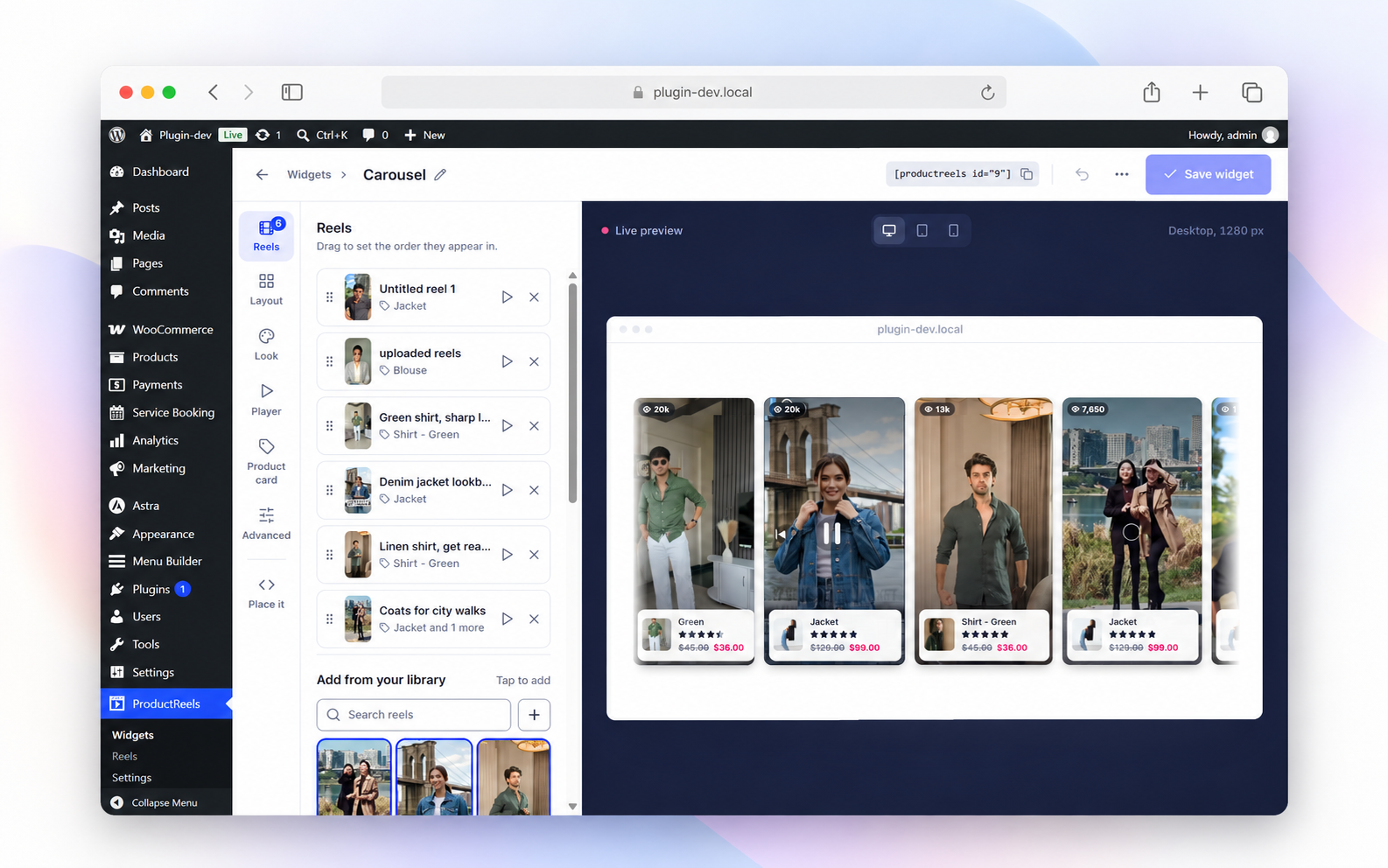
- Live visual editor: Arrange reels and customize your widget with desktop, tablet and mobile previews.
- Flexible video sources: Use Media Library videos, direct MP4/WebM links, YouTube Shorts or Vimeo.
- Easy placement: Add widgets with a shortcode, Gutenberg block or Elementor widget.
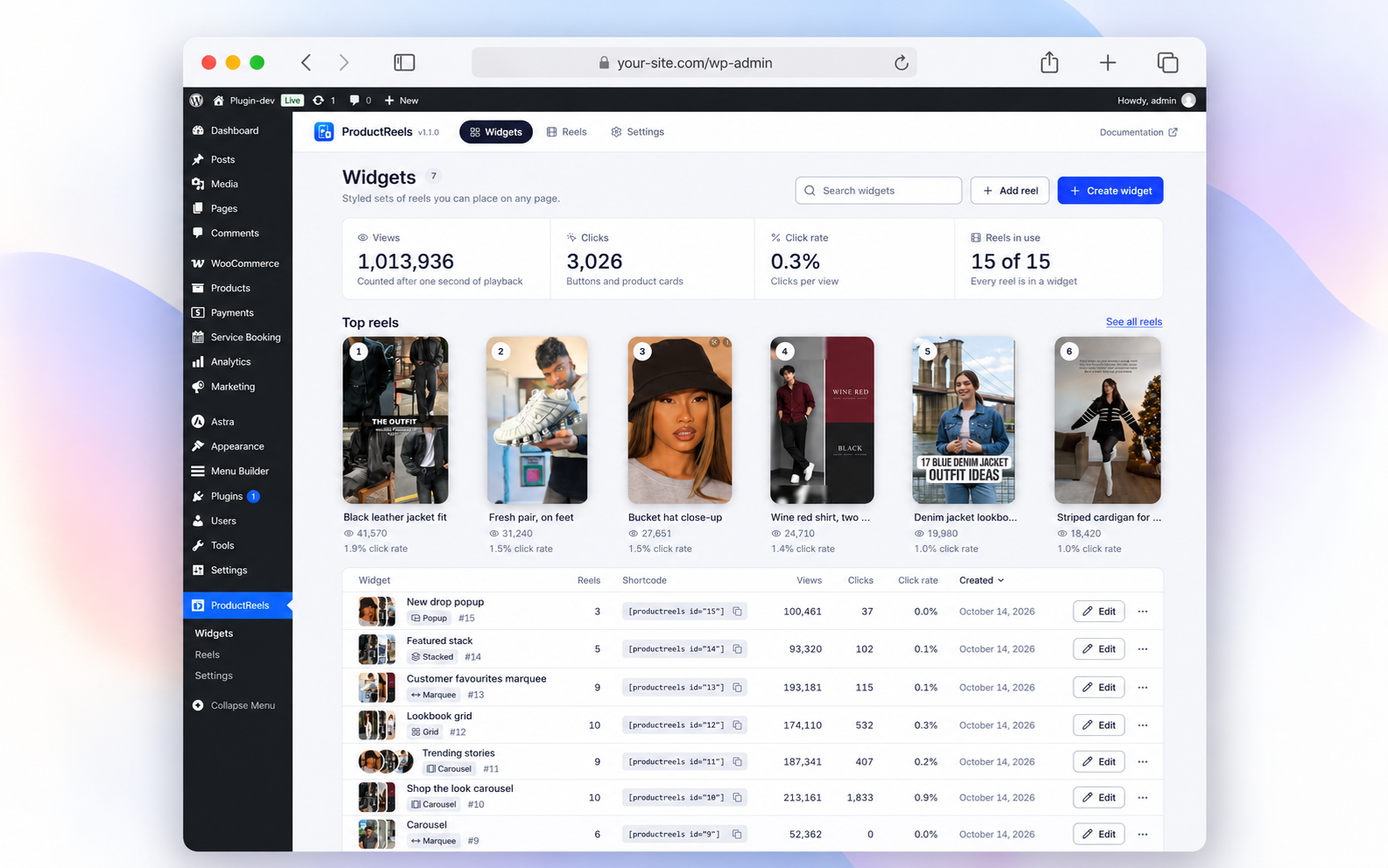
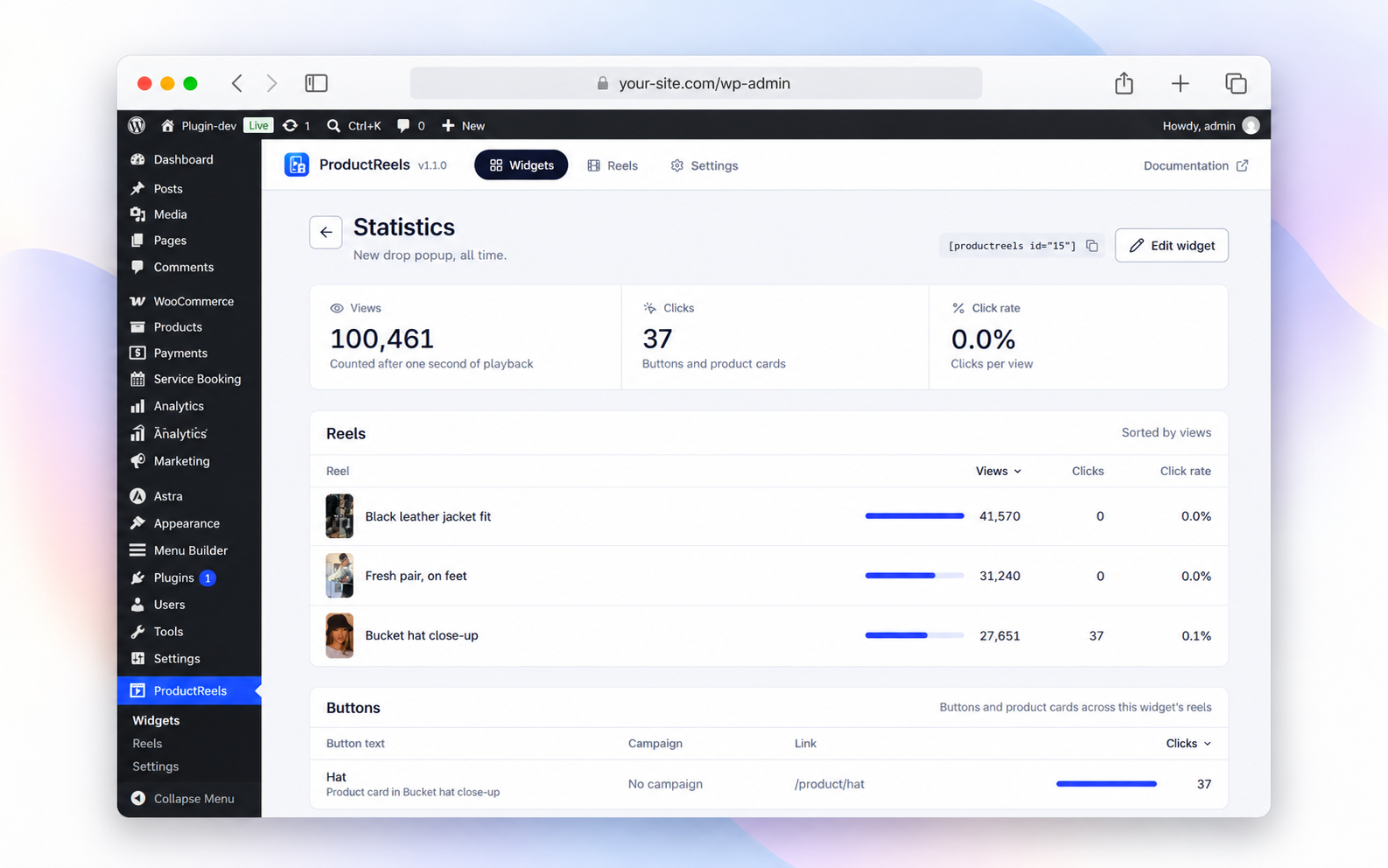
- Video analytics: Track views, clicks, click rate and your top reels, including product and button clicks.
- On-demand loading: Widget assets load where needed, videos lazy-load, and the fullscreen player loads when opened.
Product videos for any page
Add a video carousel to product pages, story bubbles to collections, a grid to your lookbook, or a marquee to your homepage. Floating popups can appear on load, after a delay or on scroll.
Build a widget once and reuse it across pages. Widgets appear separately from the WooCommerce product image gallery.
Built for WordPress
Includes keyboard navigation, screen reader labels, reduced motion support, RTL support and translation-ready text. No jQuery or bundled duplicate of React.
WooCommerce is optional. Without it, you can still use video layouts, custom buttons and analytics; product tagging and cart actions need WooCommerce.
Try ProductReels
Explore the website demo or see the ProductReels overview for more examples.
Privacy and external services
ProductReels sends no site or visitor data to ProductReels servers. Analytics are stored on your site. Visitor IP addresses are not stored in analytics; temporary hashed identifiers may be used to limit repeated events. Browser storage is used for view limits and popup preferences.
Third-party video services are contacted when their content is used:
- Vimeo: Adding a Vimeo URL can request its poster and duration from
https://vimeo.com/api/oembed.json, sending the video URL. Opening a Vimeo reel loadshttps://player.vimeo.com/api/player.js, with Do Not Track enabled where supported. Terms | Privacy. - YouTube: Thumbnails load from
https://img.youtube.com/vi/.... Opening a YouTube reel loads the IFrame Player API fromhttps://www.youtube.com/iframe_api. Terms | Privacy.
Neither provider SDK loads until a visitor opens a reel from that provider. Media Library and self-hosted videos do not require YouTube or Vimeo. Developers can disable the Vimeo metadata lookup with the productreels_allow_provider_lookup filter.
Source code and credits
Readable source is included in admin/src, public/src, block/src and src/shared. Build instructions are in README.md; licenses are in THIRD-PARTY-NOTICES.txt.
Credits: Inter by Rasmus Andersson (SIL OFL 1.1, admin only), Lucide icons (ISC) and dnd-kit (MIT).
Ekrankopioj
Blocks
This plugin provides 1 block.
- ProductReels Place a ProductReels widget — a styled collection of shoppable video reels.
Instalo
Requirements
- WordPress 6.6 or newer.
- PHP 7.4 or newer.
- WooCommerce 7.0 or newer for product tagging and cart actions (optional).
Install and activate
- Go to Plugins > Add New Plugin in WordPress.
- Search for ProductReels, click Install Now, then Activate.
To install a downloaded ZIP, use Plugins > Add New Plugin > Upload Plugin.
Create your first widget
- Go to ProductReels > Reels > Add reel. Add a video and tag a product or add a custom button.
- Go to ProductReels > Widgets > Create widget. Choose a layout and add your reels.
- Customize the design, check the preview and click Save widget.
- Use Place it to copy the shortcode, such as
[productreels id="1"], or add the ProductReels Gutenberg block or Elementor widget.
Need help? Follow the setup documentation.
OD
-
What is a shoppable video?
-
A video with linked products or buttons. Shoppers watch a reel, view its tagged products and add supported products to cart from the player.
-
How do I add videos to a WooCommerce product page?
-
Create a widget and place it in your product page content or template using the shortcode, Gutenberg block or Elementor widget. ProductReels does not replace the native product image gallery.
-
Can shoppers buy variable products from a reel?
-
You can tag variable products. Simple products support adding to cart in the player; variable, grouped and external products open their product page for the appropriate purchase action.
-
Can I import Instagram or TikTok videos?
-
Not directly. Upload videos you have permission to use, or add YouTube Shorts, Vimeo or direct MP4/WebM links.
-
Will video reels affect page speed?
-
ProductReels uses conditional assets, lazy-loaded videos and an on-demand player. Results also depend on video size, hosting, the number of reels and other page content.
-
Does it work without WooCommerce?
-
Yes. Use video layouts, custom buttons and analytics on a WordPress site. WooCommerce is needed for product tags and cart actions.
-
What happens when I uninstall the plugin?
-
Data is kept by default. To remove reels, widgets, statistics and settings when deleting the plugin, enable Delete all data on uninstall under ProductReels > Settings first.
Pritaksoj
There are no reviews for this plugin.
Kontribuantoj k. programistoj
“ProductReels – Shoppable Video Reels for WooCommerce” estas liberkoda programo. La sekvaj homoj kontribuis al la kromprogramo.
Kontribuantoj
Traduki “ProductReels – Shoppable Video Reels for WooCommerce” en vian lingvon.
Ĉu interesita en programado?
Browse the code, check out the SVN repository, or subscribe to the development log by RSS.
Ŝanĝprotokolo
1.1.0
- New: Redesigned Widgets, Reels and Settings screens.
- New: Step-by-step widget editor with desktop, tablet and mobile previews.
- New: Video frame picker for reel covers.
- New: Drag-and-drop video upload with progress.
- New: Reel filters and bulk delete.
- New: Top reels and reels-in-use counts on the Widgets screen.
- New: Product search by name or SKU.
- New: Live widget preview in the block editor.
- New: Player product panel with images, options and buy button.
- Improved: Refreshed reels, product cards and player, preserving saved styles.
- Improved: Keyboard access, screen reader support, RTL and reduced motion.
- Fixed: Player label translations.
- Fixed: Stacked layout on narrow phones.
1.0.0
- Initial release.