
Priskribo
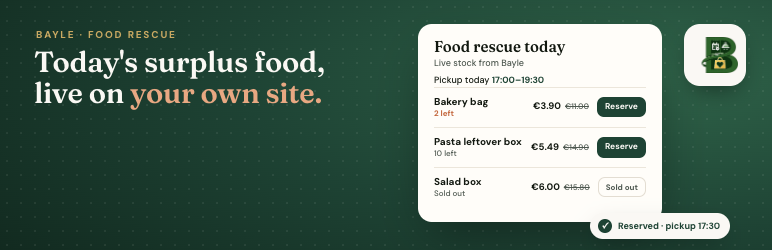
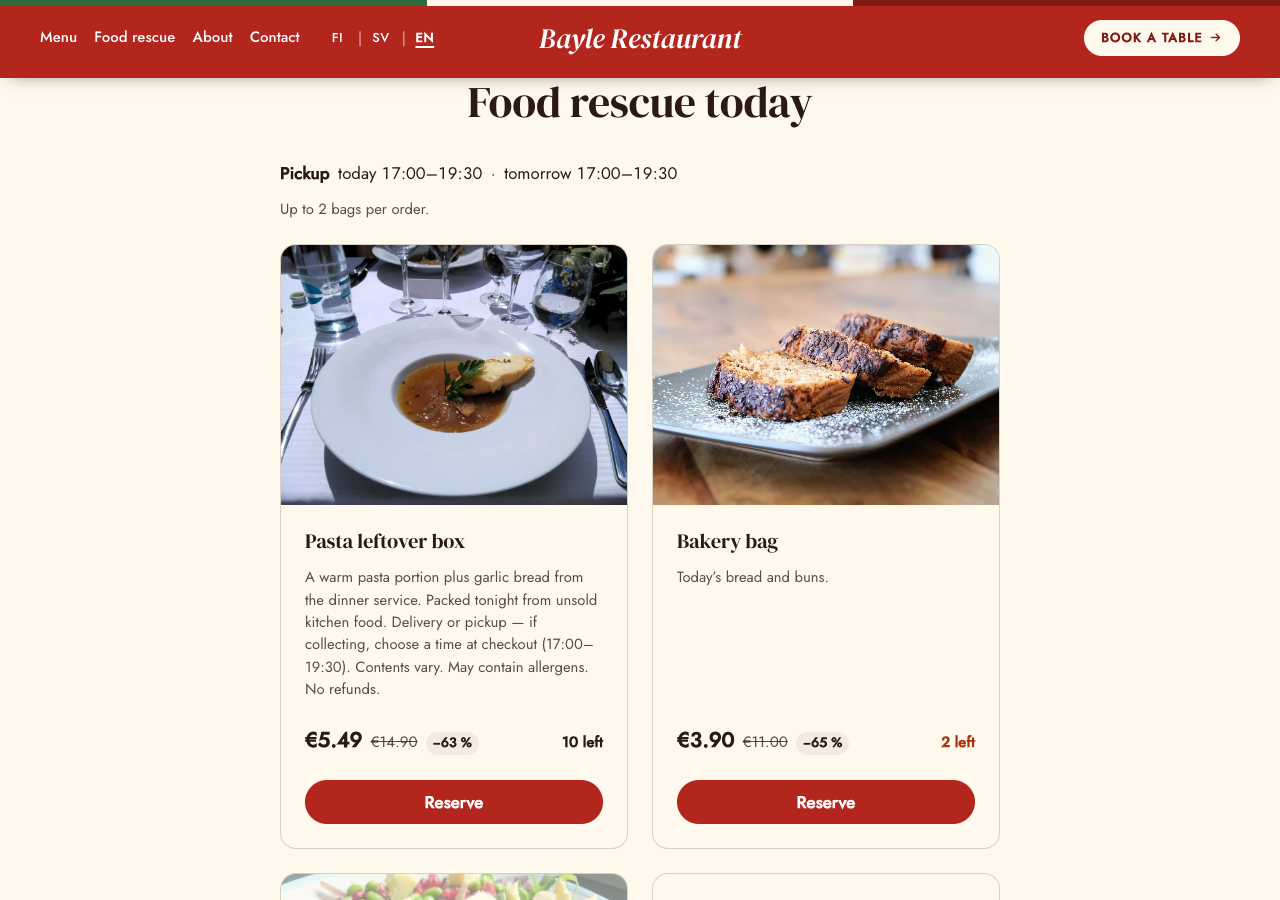
Bayle Rescue Widget shows a restaurant’s food rescue bags from Bayle on a WordPress page: surplus food sold at a discount before closing. Bags, prices, normal value, stock and pickup times are managed in Bayle; the plugin shows them as part of your page, styled by your theme, with the price, normal value and discount, the pickup window (today, tomorrow or weekday and date) and live stock.
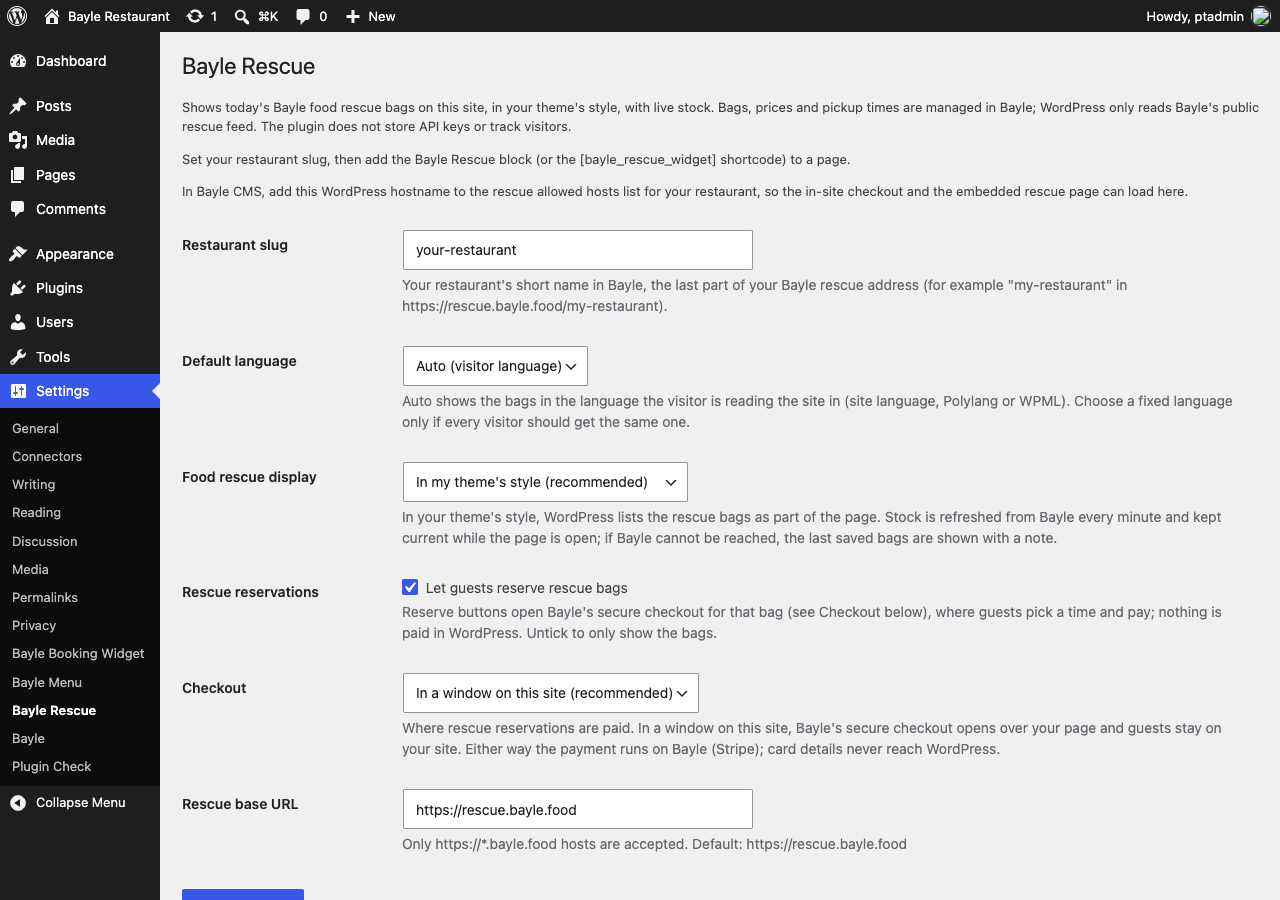
This plugin is an interface to the Bayle food rescue service at https://rescue.bayle.food. You need an active Bayle restaurant with food rescue turned on. Each site sets its own restaurant slug in Settings Bayle Rescue. The plugin stores only the slug, default language, display options and the rescue base URL. It does not store API keys.
- In your theme’s style (default): WordPress reads Bayle’s public rescue feed and keeps a cached copy for 1 minute. While the page is open, stock lines and sold-out states are kept current. If Bayle cannot be reached, the last saved bags (kept for a day) are shown with a note, so the page never breaks.
- Embedded Bayle rescue page: an iframe of the restaurant’s Bayle rescue page, if you prefer.
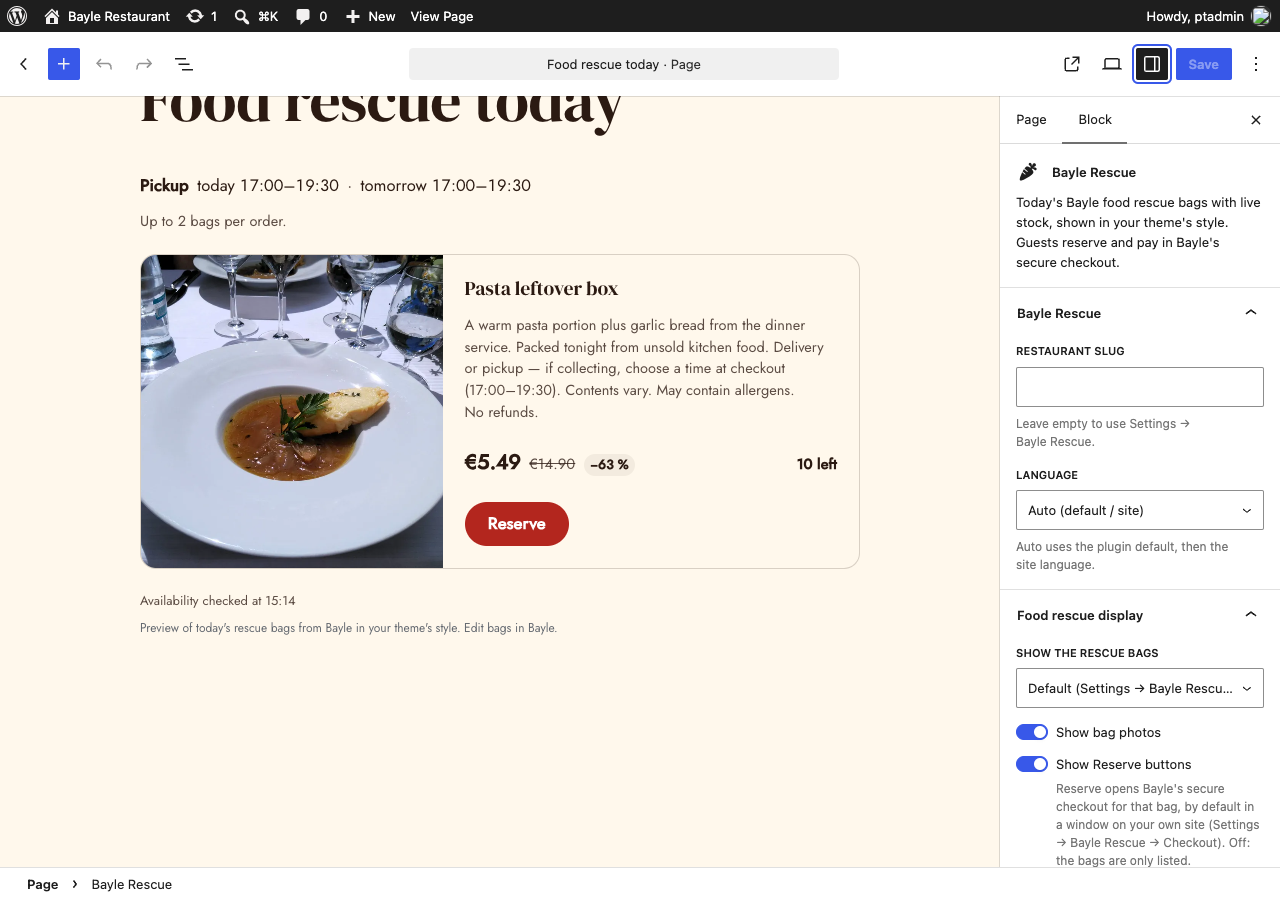
- Reserve (optional): the Reserve button opens Bayle’s secure checkout for that bag, by default in a window on your site. Pickup time, contact details and payment are handled by Bayle; nothing is paid in WordPress. Untick “Let guests reserve rescue bags” in Settings Bayle Rescue to only list the bags.
Add the Bayle Rescue block, or the shortcode [bayle_rescue_widget] (also available as [bayle_rescue] when no other plugin uses that shortcode).
For table booking, see the separate Bayle Booking Widget plugin; for the restaurant menu and pickup ordering, see Bayle Menu Widget.
External services
This plugin connects to the Bayle food rescue service, operated by Bayle (https://bayle.food). It is required: without it there are no bags to show.
- Service: Bayle public rescue feed and rescue page at
https://rescue.bayle.food(or another officialhttps://*.bayle.foodhost set by the site admin). - Rescue feed (server side): in the default display, WordPress (your server) requests
https://rescue.bayle.food/api/{slug}/bags?lang=…when a page with the bags is viewed and no fresh cached copy exists, at most once a minute per language, and when the admin clicks “Refresh rescue bags now”. It sends the restaurant slug and language, and your site address in the User-Agent. - Live stock: while a page with the bags is open, the visitor’s browser asks your own WordPress site (
/wp-json/bayle-rescue-widget/v1/rescue, read-only) for current stock about once a minute, for up to 30 minutes. Your site answers from the cached feed above. Visitors’ browsers do not contact Bayle for the bag list. - Bag photos: when the restaurant added photos in Bayle, the visitor’s browser loads them from the image addresses in Bayle’s rescue feed (https only). This sends the visitor’s IP address and your site address (referrer) to that image host. Turn photos off in the block settings or with
images="0". - Embedded rescue page: in iframe display, the visitor’s browser loads
https://rescue.bayle.food/{slug}?embed=1&lang=…, which sends the visitor’s IP address and your site address as part of the normal page request. - Reserve and checkout (only when reserving is on in Settings Bayle Rescue and pickup times are left): when the guest clicks “Reserve”, their browser opens Bayle’s checkout from the rescue host above: in a window on your site (an iframe of
https://rescue.bayle.food/{slug}with the bag reference and quantity), or the restaurant’s rescue page on Bayle. Pickup time, contact details (name, email, phone) and card payment are entered there, not in WordPress. - Human verification: inside the checkout, a Cap.js proof-of-work captcha may run from Bayle’s captcha service at
https://captcha.bayle.food. No Google reCAPTCHA is used, and this plugin does not load the captcha script on your site. - Payments: card payment in Bayle’s checkout is processed by Stripe. This plugin does not load Stripe on your site and never sees card numbers. Stripe terms: https://stripe.com/legal/ssa, Stripe privacy policy: https://stripe.com/privacy
- Why: to show the restaurant’s current rescue bags and stock and, when reserving is on, to reserve and pay for a bag with the restaurant.
- Bayle Terms of Service: https://bayle.food/legal/terms/
- Bayle Privacy Policy: https://bayle.food/legal/privacy/
The plugin’s only server-side request is the public rescue feed above. It sets no cookies and adds no tracking.
Shortcode
Basic:
[bayle_rescue_widget]
Options:
slug="your-restaurant"– show another restaurant than the one in Settings.lang="fi|sv|en"– fixed language. If omitted, the Settings default, then the visitor’s language (site language, Polylang or WPML).display="native|iframe"– in your theme’s style, or the embedded Bayle page.images="0"(no photos),reserve="0"(list only, no Reserve buttons),heading="2|3|4|5"(bag name heading level, default 3).base_url– only an officialhttps://*.bayle.foodaddress; other values are ignored.
Example: [bayle_rescue_widget slug="your-restaurant" lang="fi" reserve="0"]
Ekrankopioj
Blocks
This plugin provides 1 block.
- Bayle Rescue Today's Bayle food rescue bags with live stock, shown in your theme's style. Guests reserve and pay in Bayle's secure checkout.
Instalo
- Upload the
bayle-rescue-widgetfolder to/wp-content/plugins/, or install the zip from Plugins Add New Upload Plugin. - Activate Bayle Rescue Widget.
- Open Settings Bayle Rescue.
- Enter your restaurant slug from Bayle (the last part of your Bayle rescue address). Leave the rescue base URL as
https://rescue.bayle.foodunless Bayle gave you another host. - In Bayle CMS, add this WordPress hostname to the rescue allowed hosts for your restaurant (needed for the in-site checkout and the embedded page).
- Insert the Bayle Rescue block, or
[bayle_rescue_widget], on a page.
OD
-
Do I need API keys in WordPress?
-
No. WordPress only reads Bayle’s public, key-less rescue feed.
-
It says food rescue is not available.
-
Check the restaurant slug in Settings Bayle Rescue and that food rescue is on for your restaurant in Bayle. Admins see a hint on the page; visitors see a neutral message.
-
I added a bag in Bayle. When does my site show it?
-
Within a minute. To see it now, click “Refresh rescue bags now” in Settings Bayle Rescue.
-
Reserve shows only when “Let guests reserve rescue bags” is ticked in Settings Bayle Rescue, the block or shortcode allows it, the bag is not sold out and pickup times are left today or later.
-
Where does guest data go?
-
Pickup time, contact details and payment are entered in Bayle’s checkout and go directly to Bayle (payments by Stripe). This plugin does not keep a copy in the WordPress database. A suggested privacy policy text is added under Settings Privacy.
-
Yes. Bayle Menu Widget shows the menu and this plugin shows the rescue bags; they use separate settings. If Bayle Restaurant is also active, use one of them for rescue:
[bayle_rescue]stays with the plugin that registered it first, while[bayle_rescue_widget]and the Bayle Rescue block of this plugin always work.
Pritaksoj
There are no reviews for this plugin.
Kontribuantoj k. programistoj
“Bayle Rescue Widget” estas liberkoda programo. La sekvaj homoj kontribuis al la kromprogramo.
Kontribuantoj
“Bayle Rescue Widget” has been translated into 1 locale. Thank you to the translators for their contributions.
Traduki “Bayle Rescue Widget” en vian lingvon.
Ĉu interesita en programado?
Browse the code, check out the SVN repository, or subscribe to the development log by RSS.
Ŝanĝprotokolo
0.1.0
- Initial release: Bayle Rescue block and
[bayle_rescue_widget]shortcode, bags in your theme’s style or as an embedded Bayle page, 1-minute cache with last-good fallback, live stock while the page is open, Reserve with Bayle’s secure checkout, Settings Bayle Rescue, suggested privacy policy text, Finnish and Swedish translations.