

Priskribo
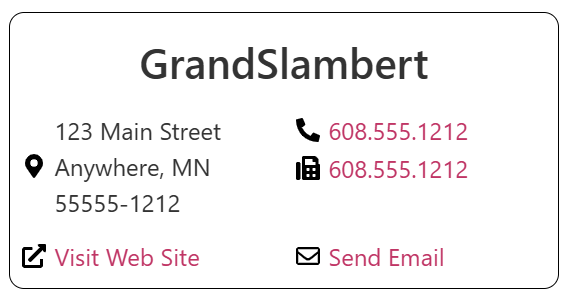
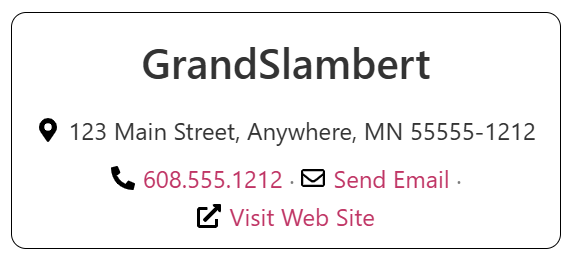
Business Block Widget shows business name, address, phone numbers, web site link, and contact or email link. Each classic widget stores its own business details. Global defaults on the settings screen apply to new widgets, the [business-block] shortcode, and the Elementor Business Block widget.
- Business name and address (optional Google Maps directions link with icon)
- Up to three phone numbers with types, click-to-call
tel:links, and an optional icon per line - Web site and contact or mailto link with optional icons
- One-column, two-column, or compact inline layout
[business-block]shortcode for posts and pages- Elementor Business Block with content, link icon, and style controls (alignment, typography, hover on linked address)
Ekrankopioj


Instalo
- Upload the
business-block-widgetfolder to/wp-content/plugins/. - Activate the plugin through the Plugins menu in WordPress.
- Open Settings Business Block Widget to set default business information and display options.
- Add a Business Block Widget under Appearance Widgets, use the shortcode, or add the Elementor Business Block widget.
OD
-
Where can I get support?
-
Use the WordPress.org support forum or the Help page on GrandSlambert.com.
-
How do I use the shortcode?
-
Use
[business-block]with optional attributes. Omitted attributes use the settings defaults.Example:
[business-block name="Acme Inc." address_1="123 Main St" city="Springfield" state="IL" zip="62701" url="https://example.com" contact_page="hello@example.com" template="two-column.php"]Phone numbers link with
tel:for click-to-call. A bare email incontact_pageis stored and output asmailto:automatically.Supported attributes:
title,name,address_1,address_2,city,state,zip,url,contact_page,phone_type_1,phone_1,phone_type_2,phone_2,phone_type_3,phone_3,template(one-column.php,two-column.php, orcompact.php),target,link_title,show_maps_link,maps_address_icon(location,map, ordirections),maps_address_icon_position(beforeorafter),phone_icon_1,phone_icon_2,phone_icon_3(phone,mobile, orcall; legacyphone_iconapplies to all lines when a per-line icon is empty),phone_icon_position,contact_icon(emailorenvelope),contact_icon_position,web_icon(globe,link, orexternal),web_icon_position. -
Does Elementor include a widget?
-
Yes. When Elementor is active, use Business Block under the Business Block Widget category. The native Elementor widget includes content and style controls, optional compact layout, maps link, and dynamic tags that read Settings Business Block Widget defaults. The classic WordPress widget is hidden inside Elementor so you use the styled widget instead.
-
Where is business data stored?
-
Each classic widget instance stores its own fields in widget settings. The shortcode and Elementor widget store values in the post or layout where you place them.
Pritaksoj
There are no reviews for this plugin.
Kontribuantoj k. programistoj
“Business Block Widget” estas liberkoda programo. La sekvaj homoj kontribuis al la kromprogramo.
Kontribuantoj
Traduki “Business Block Widget” en vian lingvon.
Ĉu interesita en programado?
Browse the code, check out the SVN repository, or subscribe to the development log by RSS.
Ŝanĝprotokolo
2.0.0 – October 21st, 2026
- Plugin header, readme, and license meet current WordPress.org requirements (GPL-2.0-or-later, Requires PHP 7.4, Tested up to 7.1, text domain business-block-widget).
- PHP 8 compatible: modern constructor, no create_function, no removed ereg APIs.
- Settings and widget instances are sanitized; front-end output is escaped. Template files are allow-listed.
- Removed the remote contributors feed from the settings screen.
- Fixed legacy template bugs (wrong variables for address, URL, and link targets).
- Widget title is optional; the business name always displays in the business name area (not as a title fallback).
- Added
[business-block]shortcode and Elementor Business Block widget with style controls. - Default business information on the settings screen pre-fills new widgets, shortcodes, and Elementor blocks.
- Phone numbers use
tel:links; bare contact emails usemailto:automatically. - Optional linked address opens Google Maps directions (global default and per-widget, shortcode, or Elementor control) with a preset or Elementor icon before or after the address.
- Optional icons before or after phone links (one icon per phone line), the contact/email link, and the website link (settings defaults, classic widget, shortcode presets, or Elementor inline icon controls). Phone type labels hide when that line has an icon.
- Compact layout template: one address line with inline phone, contact, and web actions.
- Elementor address alignment and hover styling for plain or linked addresses; multi-line address icons stay beside the text and vertically centered.
- Elementor dynamic tags Business Block Default and Business Block Default URL for site-wide default fields.
- Settings screen layout and donate link updated; no third-party hotlinked images.
- Added uninstall.php to remove plugin options on uninstall.
1.4 – February 10th, 2011
- Fixed the readme file to have the correct information
- Updated all files to fix some security issues.
- Renamed two functions to allow plugin to work on PHP4 servers.
- Cleaned up code to increase speed.
1.3 – May 12th, 2010
- Fixed a bug where the two-column template used the wrong text on the web site and email texts.
1.2 – May 12th, 2010
- Added support for language translation.
- Changed links and fixed some code issues.
- Change the name of the main file to business-block-widget.php to work with languages.
- WARNING: This upgrade may not automatically re-activate the plugin. You may need to do this manually due to the main file name change.
1.1 – December 18th, 2009
- Updated the default templates to fix a bug where link and email were not showing.
1.0 – December 18th, 2009
- Officially released from Beta
- Cleaned up and optimized a lot of code
- Fixed a bug where widget defaults were not used on new widgets.
- Fixed a bug to allow WordPress MU Support.
0.5 – October 26th, 2009
- First release